
Talent management software · creators & influencers
Talent management software for creator and influencer managers.
Not HR software. KitVerify is the workspace you run a creator roster from: every talent's media kit, rates and audience in one place, campaign rosters you send brands as a link, and one inbox for the requests that come back.
No free plan — plans from US$8.99/month. Cancel anytime.
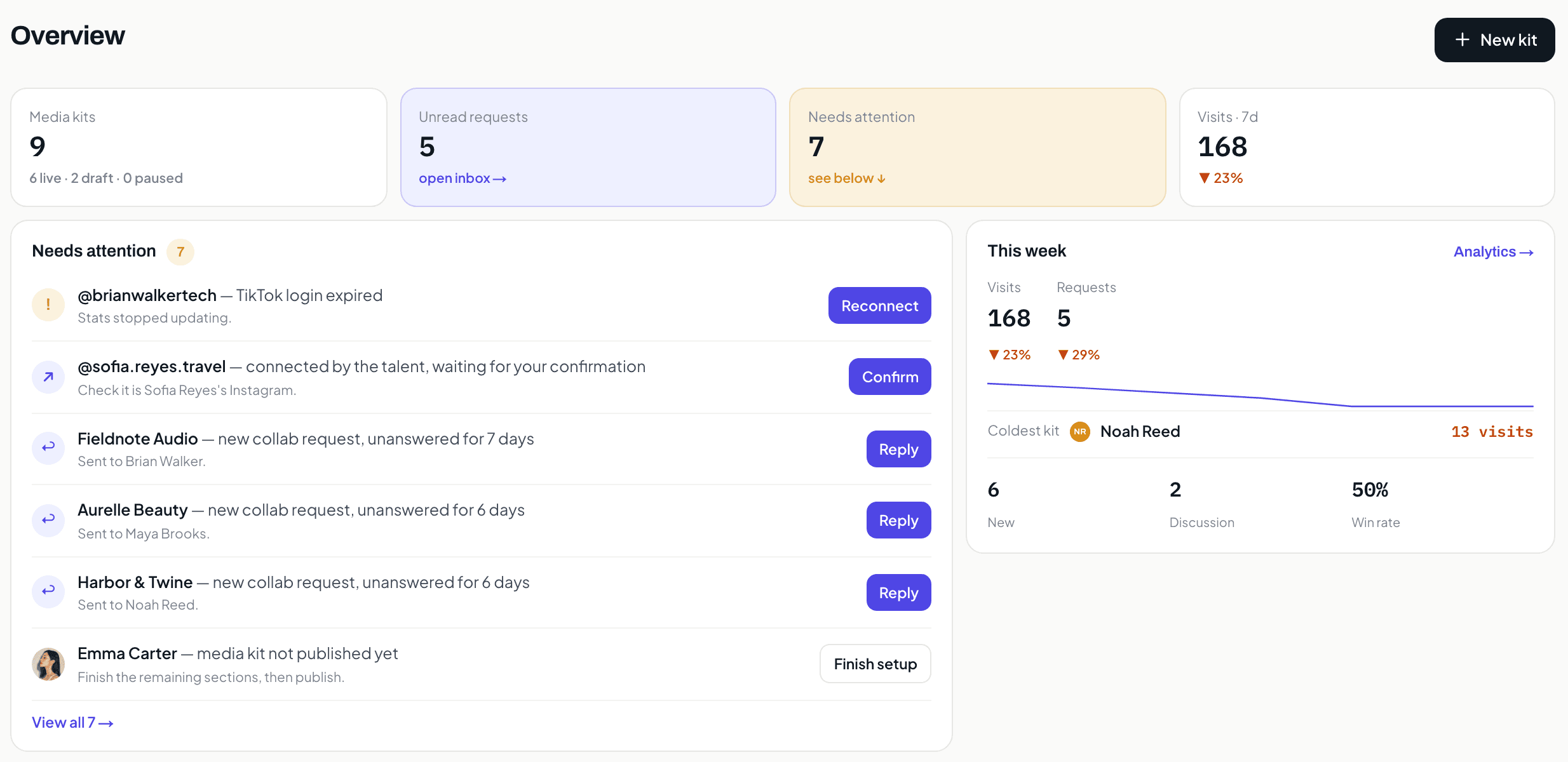
A real KitVerify workspace, seeded with sample creators. The numbers belong to that sample, not to a real roster.
Before and after
Representing talent should not mean a folder of stale decks
Most managers run a roster out of a design tool and a shared drive: a deck per talent, rebuilt every time a brand asks and out of date the week after. The more talent you sign, the more of your week goes to upkeep instead of deals.
Before
- A deck per talent in Drive, re-exported for every brand request
- Rates and packages in a sheet that does not match the deck
- Numbers copied by hand from each talent's analytics screen
- Brand requests scattered across DMs and email
With KitVerify
- One record per talent, with a public media kit at one link
- Rates, packages and terms attached to the talent, shown per pitch
- Instagram and TikTok numbers that sync once the talent connects, labelled by source
- A structured request form on every kit, landing in one inbox
What you get
What changes when the roster lives in one workspace
Three things a manager gets on day one. Each is shipped behaviour, not a roadmap line.
01
Every talent stays brand-ready
Each talent has a public media kit at one link. Edit it once and every link you have already shared shows the change.
02
Everything about a talent in one place
Profile, channels, audience, top content, rates and terms live on the talent record, not across a drive, a sheet and a chat thread.
03
Pitch with a roster link, not a deck
Pick the talent that fit a brief, publish a roster with filters and packages, and share one link. Export a PDF when a brand asks for a file.
Inside the workspace
One talent, one pitch, one place to keep track
Three screens from a real manager workspace: what you keep about a talent, what a brand opens when you pitch them, and the roster as a whole.
01
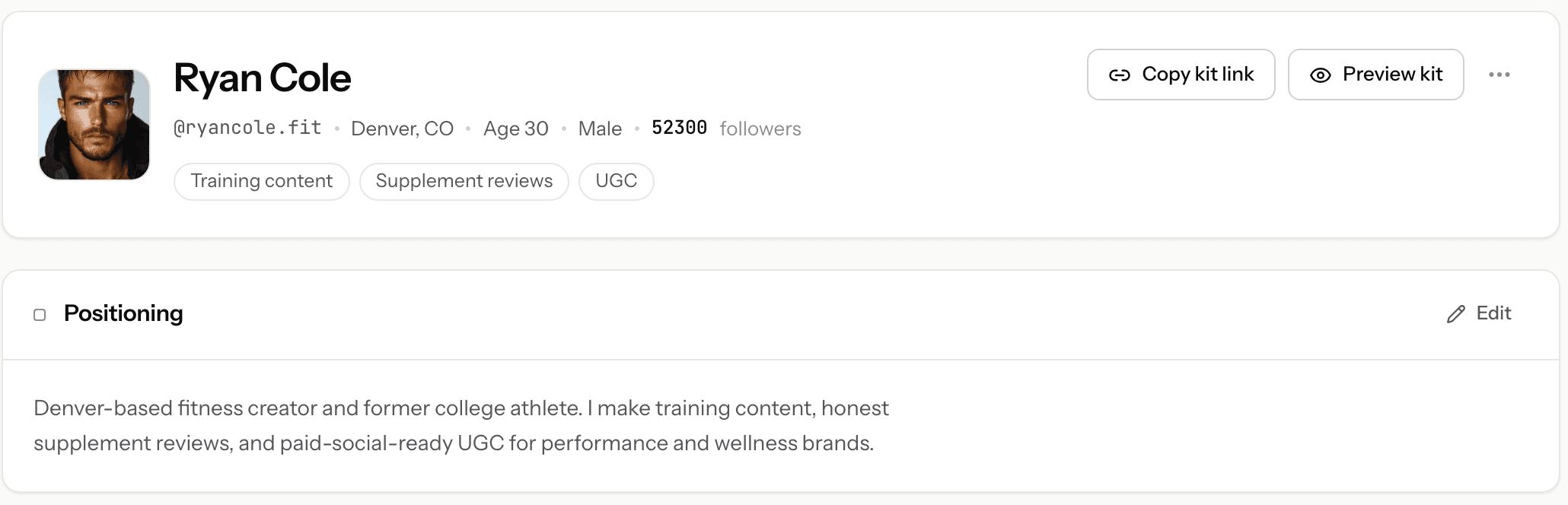
Everything about one talent, on one page.
Handle, location, niche, positioning, and how close their kit is to ready. This is the page you open when a brand asks about someone, and it replaces the folder where their deck, their rate note, and their bio used to live separately.
02
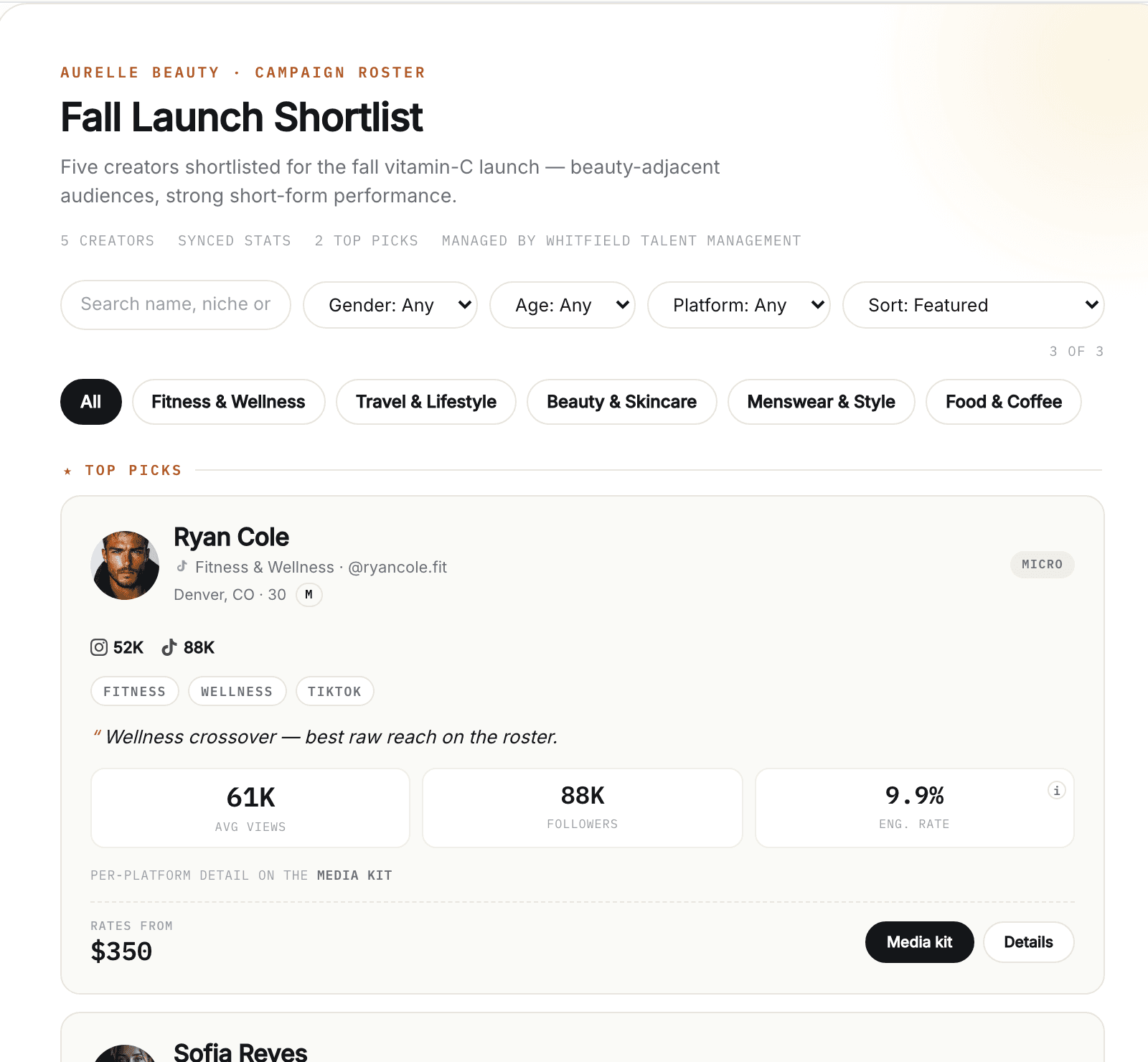
What the brand opens when you pitch.
A filterable page with the talent you picked, their numbers and where each one came from, your note on why they fit the brief, and their packages. Every figure reads from that talent's media kit, so nothing here is a copy you have to keep in step.
03
And the whole roster, with its status.
Every talent with their followers, engagement, open requests, and whether their kit is live, still a draft, or paused. Filter by status instead of opening nine folders to find out.
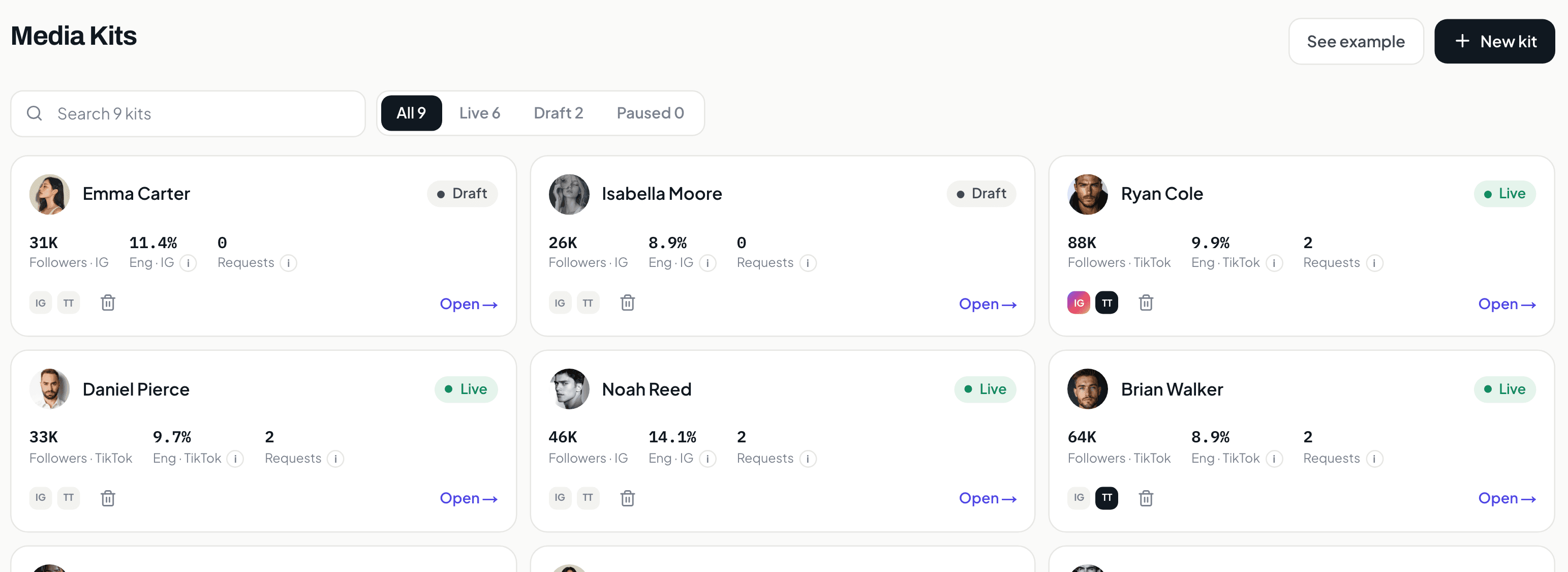
Screens from a KitVerify workspace seeded with sample creators. Numbers shown belong to that sample, not to a real roster.
How it works
How KitVerify works
Step 1
Create your manager workspace
Sign in with Google and you get a talent-manager workspace. Start adding the creators you represent — you can build a media kit before a creator has even signed up.
Step 2
Build each creator's kit, rates, and terms
Fill in audience, past work, packages, and rates for each creator. Send a delegated connect link so they attach their own Instagram or TikTok read-only, and supported metrics sync with a source label.
Step 3
Pitch with rosters and collect requests
Assemble a campaign roster for a brief, share it as a link or PDF, and let brands send structured collaboration requests that land in one inbox with a simple status.
What it does
What you can do in KitVerify
Everything a talent manager needs on the creator side of the business, and nothing that pretends to be a sales CRM.
One workspace for every creator you represent
Keep each creator's media kit, rates, and audience in one place instead of a folder of PDFs. Build as many as you like — drafts are never capped on Solo and up — and the plan meters only how many stay published at once: 10 on Solo, 30 on Studio. (Creator is a single media kit.)
Live media kits you update once
Every creator gets a public media kit at a shareable link — audience, performance, past work, and packages. Edit it once and the link is current; no re-exporting a deck for every brand request.
Rates, packages, and terms in one view
Set each creator's packages and rates, keep a rates overview across the roster, and show your standard terms alongside them — so a brand sees the offer and the ground rules together.
Brand-facing rosters and shortlists
Build a campaign roster — a shortlist of the right creators for a specific brief — and share it as a clean public link or a PDF. Pick who is on it, what each one costs, and what the brand sees.
Optional read-only social connection
Creators can connect Instagram or TikTok read-only so supported metrics sync from the official APIs with a source label. Delegated connect links let each creator link their own account — no shared passwords, no logins to manage.
Inbound collaboration requests in one place
Brands reach out through a structured request on each kit — company, campaign, budget, timeline — and requests land in one inbox with a simple status you move as the conversation progresses.
Per-kit analytics
See how each media kit is doing — visits, engagement, and which packages and sections draw interest — so you know which creator to put in front of which brand.
Who it is for
Built for the people who actually run a roster
Independent talent managers
You represent a handful to a few dozen creators yourself, and every brand request currently starts with finding the right file.
Boutique creator agencies
A small roster that has to look as finished as a big agency's, without a design team or a heavy stack.
FAQ
Common questions
Is this HR talent management software?
No. KitVerify has nothing to do with hiring, performance reviews or employee records. "Talent" here means the creators and influencers a manager represents, and the software manages their media kits, rates, campaign rosters and inbound brand requests.
Who is KitVerify's talent management software for?
Independent talent managers, creator and influencer managers, and boutique agencies representing multiple creators. It manages the creator side: media kits, rates, rosters, and inbound requests. Not brand relationships or campaign delivery.
How many creators can I manage?
On Solo and up, as many as you like: drafts are never capped, and you can build a creator's kit before they sign up. The plan meters what is PUBLISHED at once: 10 on Solo, 30 on Studio, and Scale for larger rosters.
Where do the numbers come from?
Creators can connect Instagram or TikTok read-only, and supported metrics sync from the official APIs carrying a source label and timestamp. Anything typed in stays clearly labeled as self-reported. KitVerify never invents a number.
What does KitVerify cost?
There is no free plan. Creator is US$8.99/month for 1 media kit and 1 campaign roster, live. For a whole roster, Solo is US$29/month for 10 live talents with drafts never capped, Studio is US$79/month for 30, and Scale is custom. Cancel anytime.
Every talent you represent, ready to pitch from one workspace.
Build a talent's kit before they sign up, and send a brand-ready roster link the same day.
Creator US$8.99/month, Solo US$29/month, Studio US$79/month. Cancel anytime.
Related
Keep exploring
Media kit automation
What updates itself when you manage kits for a whole roster.
Creator roster management
Move your roster off spreadsheets into one workspace.
Talent manager CRM
For the solo manager running multiple creator relationships.
Talent manager tools
How managers actually run a roster — spreadsheets to purpose-built.