
Guide
The tools talent managers use to run a creator roster.
Most managers stitch together a spreadsheet, a design tool, and a CRM. Here's an honest map of the categories, what each is good at, where each falls short, and where a purpose-built workspace fits.
Creator US$8.99/month, Solo US$29/month, Studio US$79/month. Cancel anytime.
The problem
There's no single "talent manager tool" — most people improvise
Ask ten managers what they use and you'll get ten stacks. The useful question isn't "what's the one tool" — it's "what job am I doing, and what's the lightest tool that does it well." These are the four categories that show up most.
What it does
The four categories, honestly compared
Each is good at something. The trade-off is how much you build and maintain yourself versus how much comes ready-made for creator work.
Spreadsheets (Sheets, Excel)
Great as an index and for quick math on rates. But a spreadsheet can't show a brand a media kit or package a shortlist — it points at other files you still maintain by hand.
Flexible databases (Airtable, Notion)
A step up: relational views, templates, light automation. The cost is that you design and maintain the system, and there's still no brand-facing media kit or roster output built in.
Generic sales CRMs
Built for outbound pipelines and contacts. Powerful if you're chasing brand deals, but most fields don't match creator work, and they don't produce media kits or rosters.
Purpose-built creator-management software
Tools like KitVerify come with media kits, rates, brand-facing rosters, and an inbound inbox ready-made — so you present creators instead of building a system. The trade-off is less general-purpose flexibility.
Inside the workspace
What the purpose-built column actually looks like
Three screens, so the last category above is judged on evidence rather than on our description of it. Weigh them against what your spreadsheet or database already does well before deciding anything.
01
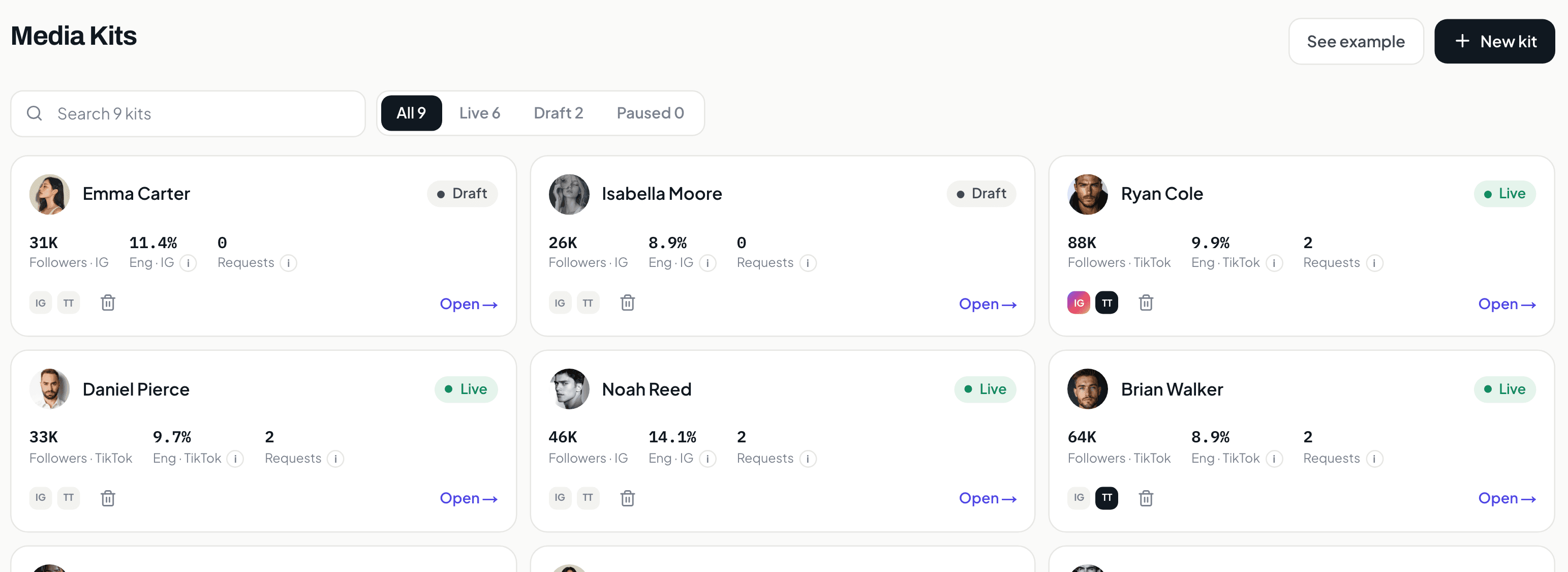
The index a spreadsheet gives you, except it is also the product.
Followers, engagement, open requests and publication status per creator. A sheet holds the same columns perfectly well. What it cannot do is be the thing you open in front of a brand, which is why most managers end up maintaining both.
02
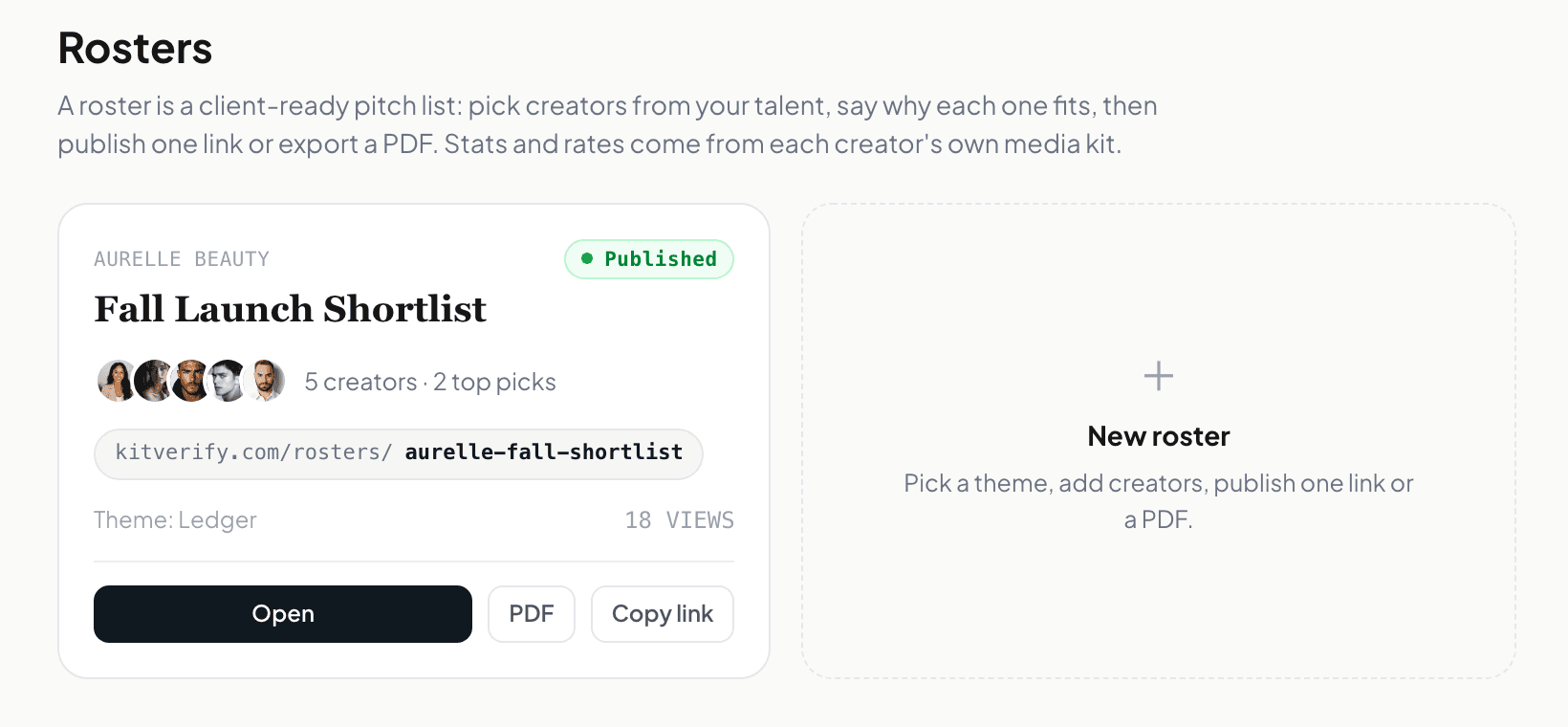
The output none of the other three produce.
A shortlist for one brief, published as a link with its own visit count, exportable as a PDF when a brand wants a file. This is the specific job that pushes people off spreadsheets, and it is worth being honest that it is the only one.
03
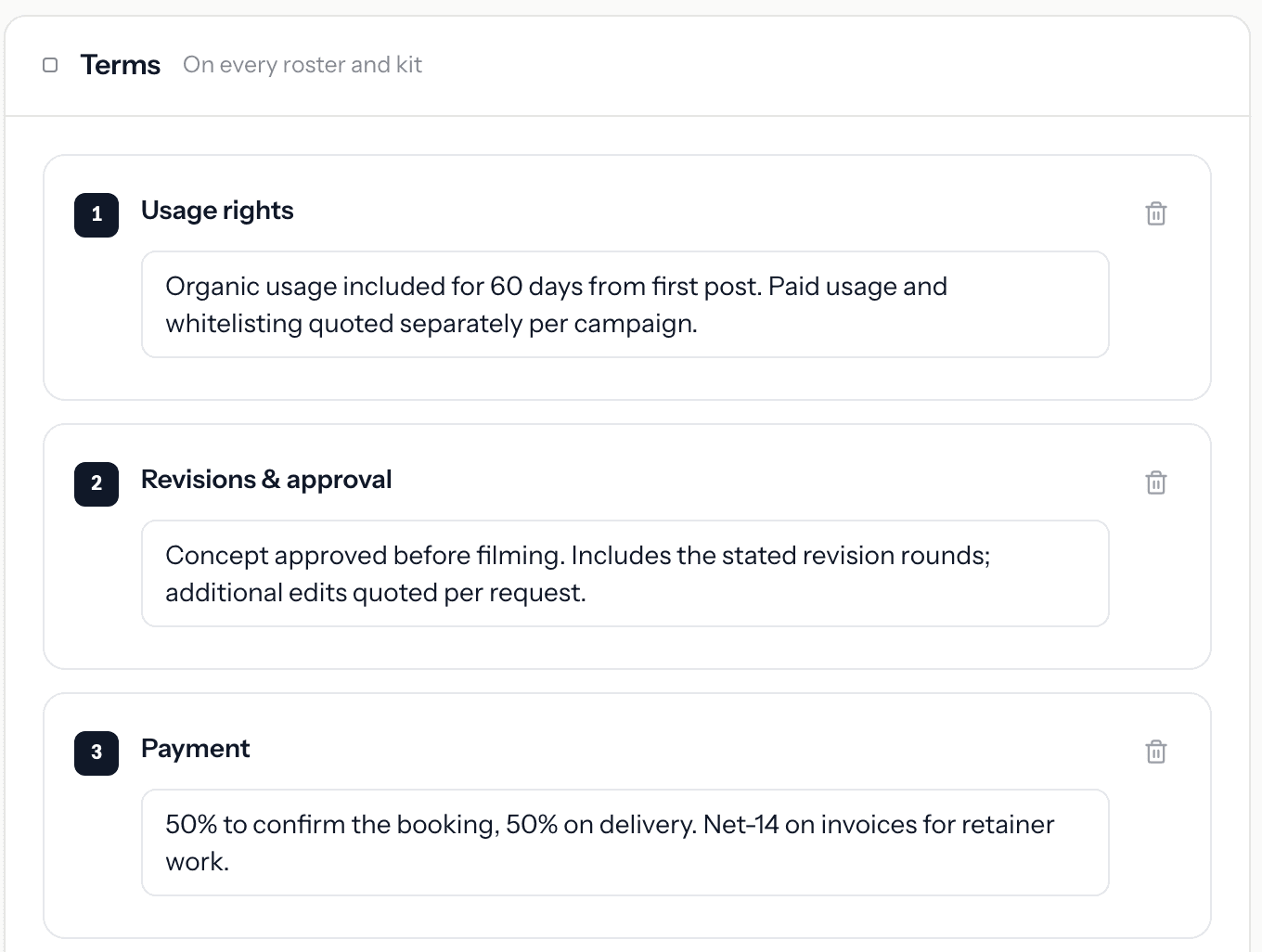
The fields you would otherwise design yourself.
Usage rights, revision rounds, payment split, attached to the creator and carried onto every roster and kit. In Airtable or Notion this is a schema you build and maintain; here it is the trade-off in reverse, since you get less freedom to shape it.
Screens from a KitVerify workspace seeded with sample creators. Numbers shown belong to that sample, not to a real roster.
How it works
Where KitVerify fits
Step 1
Keep the spreadsheet for what it's good at
Quick rate math and a private index are fine in a sheet. KitVerify replaces the brand-facing half the sheet was never good at.
Step 2
Use KitVerify for the creator front end
Media kits, rates and terms, campaign rosters, delegated connection, and an inbound request inbox — the parts that need to look professional and stay current.
Step 3
Keep your own tools for deals and paperwork
Contracts, invoicing, and outbound brand relationships stay in whatever you already use. KitVerify doesn't try to replace those.
FAQ
Common questions
What are the best tools for talent managers?
It depends on the job. Spreadsheets and databases (Airtable, Notion) are best for a private index; a generic CRM suits heavy outbound brand outreach; purpose-built creator-management software like KitVerify is best for presenting creators, packaging rosters, and fielding inbound requests. Many managers use a light combination.
How do talent managers usually manage creators?
Most run a roster from a spreadsheet plus a design tool for decks, then handle brand conversations over email and DMs. It works at a few creators and gets heavy as the roster grows — which is when a purpose-built workspace starts to pay off.
When should I move off spreadsheets?
When the brand-facing side hurts: re-exporting decks for every request, rebuilding shortlists by hand, or losing track of who reached out. That's the point a tool with media kits, rosters, and an inbound inbox saves real time.
Related
Keep exploring
Creator roster management
Move your roster off spreadsheets into one workspace.
Media kit automation
What updates itself when you manage kits for a whole roster.
Creator management software
For boutique agencies running a roster of creators.
How to manage an influencer roster
The data model of a useful roster, and how to migrate off spreadsheets progressively.
Pick the lightest tool that does the job.
For the creator-facing half — kits, rates, rosters, inbound — KitVerify is purpose-built.