Agency Operations
Spreadsheets vs Talent Management Software: When Should a Creator Manager Switch?
Sheets is the right tool for many managers, and the wrong one for some. This is an honest account of where the line is, what the switch actually buys you, and a checklist for migrating without a big-bang weekend.
Where each creator's facts live
Spreadsheet-era fragmentation
- Sheets → rates
- Drive → media kit
- WhatsApp → creator updates
- Screenshots → audience insights
- Notion → roster
One structured record
- Creator
- One structured profile
- Reused across every brand-facing output
Most guides on this topic are written by software companies and reach the conclusion you would expect. This one is also written by a software company, so read it with that in mind. But the honest answer to "should I switch off spreadsheets?" is often "not yet", and pretending otherwise leads managers to buy tools they don't need and abandon them three weeks later.
The question that actually matters is not "spreadsheet or software" but "how many copies of each fact am I maintaining?" This guide explains when a spreadsheet is the correct tool, exactly where its cost begins to compound, what the alternatives add and don't, and how to move progressively if and when the time comes.
When Google Sheets is the right answer
Managers are sometimes embarrassed to say they run their roster in Sheets. They shouldn't be. At the right scale a spreadsheet is not a compromise; it is the correct choice.
- One to three creators. With this few, each creator's information fits in your head and a row. The overhead of learning and maintaining a tool costs more than it saves.
- Infrequent brand requests. If you assemble a pitch a few times a month, rebuilding a kit by hand is an hour you can afford.
- Stable numbers. If your creators' audiences move slowly and rates rarely change, the copy problem barely exists.
- One maintainer. A single person editing a sheet is consistent; the sheet fails when several people do.
- An unusual data model. If your workflow needs fields no tool anticipates, a sheet bends where software won't.
If that describes you, the useful improvements are inside the spreadsheet: a source and a date next to every number, rates on the creator row rather than a separate tab, and a link to one current media kit per creator instead of copies of its contents. The sample roster structure in the roster guide is a good template.
What a spreadsheet is genuinely good at
- Being an index. Scanning fifteen creators for niche, status and headline numbers is what a sheet was built for.
- Flexibility. A new column costs nothing. Software makes you wait for a feature.
- Sorting and filtering. "Show me active beauty creators over 20K" is a filter, not a search.
- Zero cost, zero onboarding. Every collaborator already knows how it works.
- Ownership. The data is in a file you control and can export anywhere.
Where the maintenance cost compounds
The spreadsheet does not break because it gets big. It breaks because facts start living in more than one place. A rate is in the sheet and in the media kit PDF and in the roster deck; an audience number is in a screenshot and in the kit and in the deck. The sheet is fine. The copies are the cost.
The arithmetic is simple. The number of places a fact can be wrong is roughly creators × brand-facing outputs, and the number of edits you owe per month is that multiplied by how often the facts change. None of these values needs to be large for the product to be unmanageable.
| Roster | Outputs per creator | Places a fact can be wrong | If each creator has two changes a month |
|---|---|---|---|
| 2 creators | 2 (kit, rate row) | 4 | 8 edits |
| 5 creators | 3 (kit, roster card, rate sheet) | 15 | 30 edits |
| 12 creators | 4 (kit, roster card, rate sheet, open proposal) | 48 | 96 edits |
| 25 creators | 4 | 100 | 200 edits, and you will skip most of them |
The last cell is the real finding. Past a certain point managers don't make the edits; they let the copies drift and hope the brand opens the right one. That is the moment stale numbers start costing credibility, and it usually arrives before the roster feels "big".
The hidden cost is the copies, not the spreadsheet
This reframing matters because it tells you what a switch has to fix. Moving your sheet into a database tool that still produces PDFs by hand fixes nothing: the copies are still there. Buying software with a beautiful media kit template that stores its own numbers fixes nothing either. The only change that reduces the arithmetic above is making each output read from one record, so the number of copies drops to one.
What the switch has to change
Copies
- Creator fact
- Sheet + kit + deck + proposal
- Edit each, or miss one
One record
- Creator fact
- One record
- Kit, roster and rates read from it
The middle ground: database tools
Notion, Airtable and similar tools are where many managers go after Sheets, and for the internal roster they are a real improvement: a page per creator, related tables for brands and deals, views for different questions. If your problem is that the sheet has become hard to read or that several people edit it, a database tool solves that.
What it usually doesn't solve is the copy problem on the brand-facing side. The media kit is still a separate document, the roster deck is still built by hand, and numbers are still typed in without a sync. You get a better index and the same outputs. For some managers that is exactly the right trade; for those whose pain is the outputs, it isn't.
What purpose-built software adds, and what it doesn't
What it adds
- One record per creator that the media kit, roster and rate view read from
- Media kits and rosters as live links, with PDF export, instead of rebuilt files
- Audience numbers that can sync from the platform with a source label and date
- Rates and terms structured on the creator, with global terms and overrides
- A brand-facing output that looks finished without design work
What it usually doesn't
- A fully custom data model: the structure is decided for you
- Outbound sales: prospect lists, sequences, follow-up reminders
- Contracts, invoicing, payments, campaign reporting
- Importing your spreadsheet in one click; expect to add creators one at a time
- Replacing the spreadsheet on day one; the two coexist for a while
A fair comparison
| Spreadsheet | Database tool | Purpose-built workspace | |
|---|---|---|---|
| Internal index | Good | Very good | Good, less flexible |
| Brand-facing media kit | Separate file, by hand | Separate file, by hand | Generated from the record, live link + PDF |
| Brand-facing roster | Separate deck, by hand | Separate deck, by hand | Generated from the records, live link + PDF |
| Audience numbers | Typed in, undated unless you add it | Typed in, undated unless you add it | Can sync from the platform, labelled by source |
| Rates and terms | Columns or a second tab | Fields and relations | Structured on the creator, global terms with overrides |
| Setup effort | None | Days, and ongoing | Hours per creator, then low |
| Cost | Free | Free to modest | Usually a subscription |
| Custom fields | Unlimited | Unlimited | Limited |
| Right when | One copy of each fact | The index is the problem | The outputs are the problem |
Signals it is time to switch
- You have sent a brand a kit with a rate or a number you knew was old.
- Assembling a shortlist takes an afternoon, and you have started to dread requests.
- You maintain a "clean" copy of the roster for brands and a "real" one for yourself.
- A creator update arrived by message and you applied it to some documents but not others.
- You refresh audience numbers by screenshot, and you have stopped doing it monthly.
- Two people edit the sheet and disagree about which column is current.
One of these is Tuesday. Three at once, sustained for a month, means the arithmetic has caught up with you.
A migration checklist
Do not migrate in a weekend. The managers who succeed move progressively, fix the most expensive copies first, and keep the spreadsheet as an index until it retires itself.
- 01Audit the copies. For each creator, list where their rates, audience numbers and kit currently live. This is your before picture and tells you what the switch must eliminate.
- 02Fix the sheet first. Add a source and date to every number; move rates onto the creator row; replace pasted kit contents with a link. Some managers stop here, correctly.
- 03Choose by the biggest problem. Index unreadable: a database tool. Outputs stale: a purpose-built workspace. Both: workspace for the outputs, keep the sheet as the index for now.
- 04Start with the three most-pitched creators. Complete their records end to end: profile, accounts connected read-only where possible, rates, terms, media kit. Use those records for the next request.
- 05Replace their PDF kits with live links. Update the link wherever the old file was shared. From this point those creators have one copy.
- 06Build the next brand-facing roster from records, not from the sheet. If it takes minutes, the migration is working. If not, find out what is still a copy.
- 07Move the rest by pitch frequency. Creators you rarely put forward can stay in the sheet for months at no cost.
- 08Keep the sheet as an index until you stop opening it first. Then archive it. Do not delete it; it is your export.
- 09Write down the routine. When something changes, edit the record the same day; check synced numbers weekly; refresh self-reported numbers monthly.
Common mistakes when switching
- Switching because the sheet looks unprofessional. Brands never see your sheet. Switch for the copies, not the appearance.
- Expecting an import. Most creator-side tools add creators one at a time. Plan for it; it is also the progressive path.
- Migrating everyone at once. Half-migrations leave you maintaining two systems. Most-pitched creators first.
- Keeping the rate sheet alive. If rates stay in the spreadsheet after the switch, you have added a copy, not removed one.
- Choosing a tool that stores numbers as text. If the kit template asks you to type in follower counts, the copy problem has moved, not gone.
- Buying for the pipeline when the problem is the outputs. A sales CRM does not fix stale media kits. See what a talent manager CRM actually is.
Recommended approach
Count the copies. If each creator's facts live in one place, stay in the spreadsheet and improve it. If they live in three or four, and you have started skipping edits, switch, but switch to something that generates outputs from one record, and switch progressively. The goal is not a more professional tool; it is a roster where a brand asks and you are ready. The broader category, and how to evaluate tools in it, is covered in talent management software for creators.
Where KitVerify fits
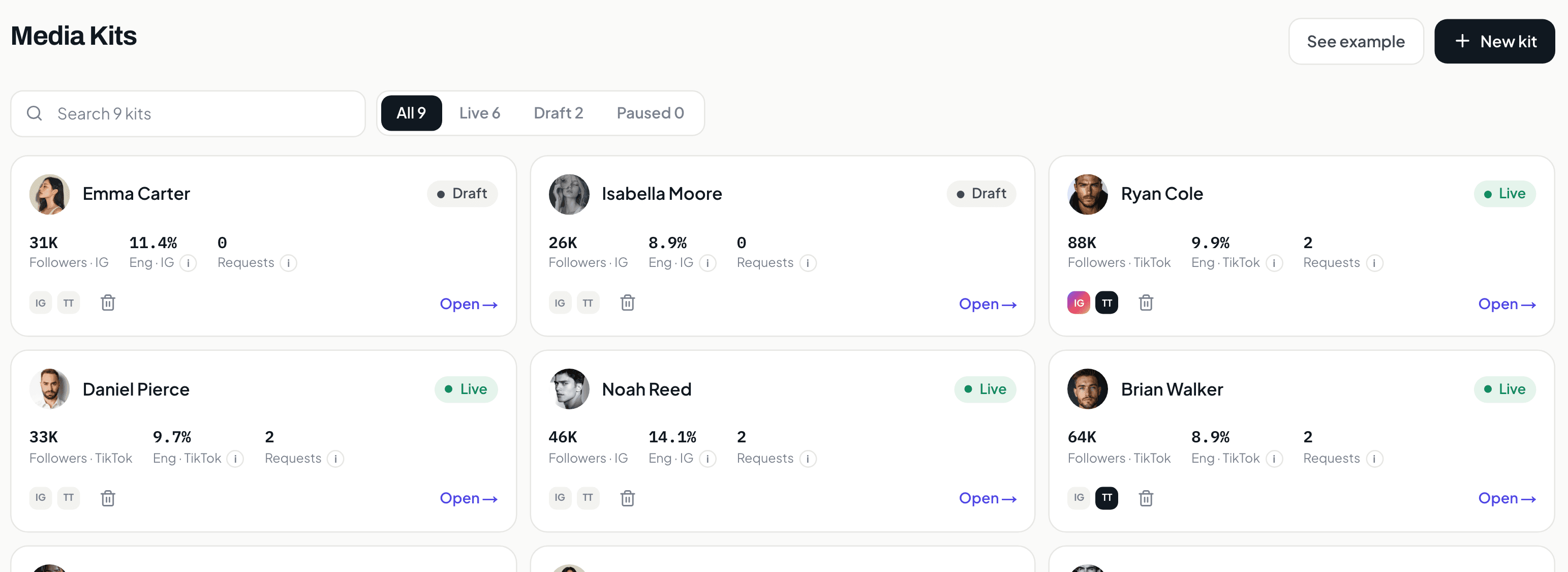
KitVerify is a purpose-built workspace in the sense used above: one record per creator, with the media kit, rates, terms and campaign rosters generated from it, live links with PDF export, and optional read-only Instagram and TikTok sync with every number labelled by source. It does not import spreadsheets, and a workspace is one sign-in today, so it suits the progressive path: keep your sheet as the index, move the creators you pitch most, and let the sheet retire on its own. What it does not replace is a sales pipeline, invoicing or contracts. The creator roster management page shows the roster and what a brand receives.
Related questions
What is the best alternative to spreadsheets for managing creators?
It depends on which part of the spreadsheet is failing. If the internal index has become unreadable or has too many editors, a database tool such as Notion or Airtable is the natural step. If the problem is stale brand-facing outputs (media kits, rosters, rates maintained as separate files), a purpose-built creator management workspace that generates those outputs from one creator record is the alternative that actually removes the copies.
Can I keep using a spreadsheet alongside talent management software?
Yes, and most managers do during the transition. The spreadsheet stays the internal index while the workspace holds the records that produce media kits and rosters. Move creators over by how often they are pitched, and archive the sheet when you stop opening it first. The one rule: rates and audience numbers should not stay in the sheet once they are on the record, or you have added a copy.
How long does it take to move a creator roster off spreadsheets?
There is no honest universal number; it depends on roster size, how complete your data is, and whether creators connect their accounts. The useful framing is per creator: completing one record properly (profile, accounts, rates, terms, kit) is a bounded task, and you can do the three most-pitched creators first and see the benefit immediately, without migrating anyone else.
When is a spreadsheet the wrong tool for a talent manager?
When the same fact lives in several documents and you have started skipping the edits: a rate in the sheet and an old rate in the kit, an audience number from a screenshot that is months old, a roster deck rebuilt for each request. The signal is not roster size; it is the number of copies and how often they change.
KitVerify
Move the copies off the spreadsheet, one creator at a time.
Keep your sheet as the index. Put the creators you pitch most into KitVerify, where one record produces the media kit, rates, terms and every roster you send.
About the author
Dennis Tjahyadi · Founder, KitVerify
KitVerify is being built around the workflows of talent managers and creator agencies. This blog documents what we are learning about how those teams organize, maintain and pitch their talent — from product research, conversations with managers, and observing real workflows, not from having managed talent ourselves.
Related reading
- RostersHow to Manage an Influencer Roster Without a Mess of SpreadsheetsWhat a roster actually has to hold per creator, a sample structure you can copy, an honest comparison of spreadsheet, Drive/Notion and purpose-built workflows, and a progressive migration path.
- Media KitsHow Talent Managers Can Manage Media Kits for Multiple CreatorsThe operational problem behind stale media kits is copies, not effort. This guide shows the fragmented architecture most managers run, the single-source alternative, and a routine for keeping every kit current.
- Talent ManagementCreator Management Software: What Talent Managers Actually NeedThe category explained from the manager's side of the table: what these tools actually manage, how they differ from brand-side influencer platforms, when a spreadsheet is still fine, and how to evaluate the options.
- Agency OperationsWhat Is a Talent Manager CRM? A Practical Guide for Creator AgenciesA sales CRM tracks companies, contacts and deals. A talent manager tracks creators, audiences, rates, terms and media kits. This guide explains the difference, what a creator agency CRM should contain, and how to choose one.