Create a Website Without Coding: A One-Page Creator Site in 6 Steps
Most creators need one page, not a ten-page site. Here is one built without code, from username to published page.
Example creator: Mila Hart. Links go to example.com.
One page or a full website?
Full website builder
- Many pages with a menu
- Your own domain
- Blog, shop, bookings
One-page creator site
- One mobile page, tabs if you need more
- A kitverify.com address
- Links, videos, forms, FAQ, social icons
No checkout or blog on one page: link to your shop and articles instead.
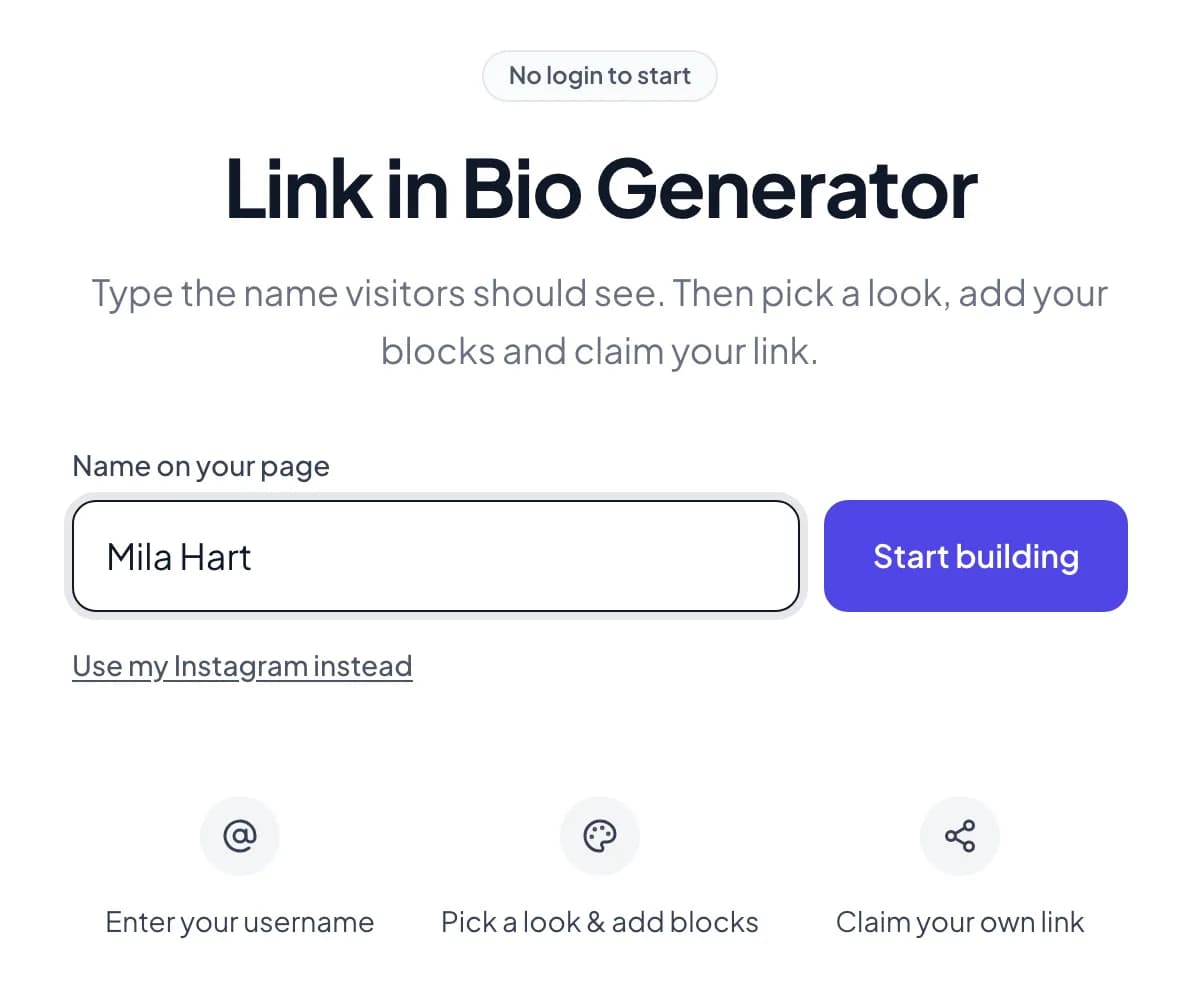
Step 1: Start from your username or your name
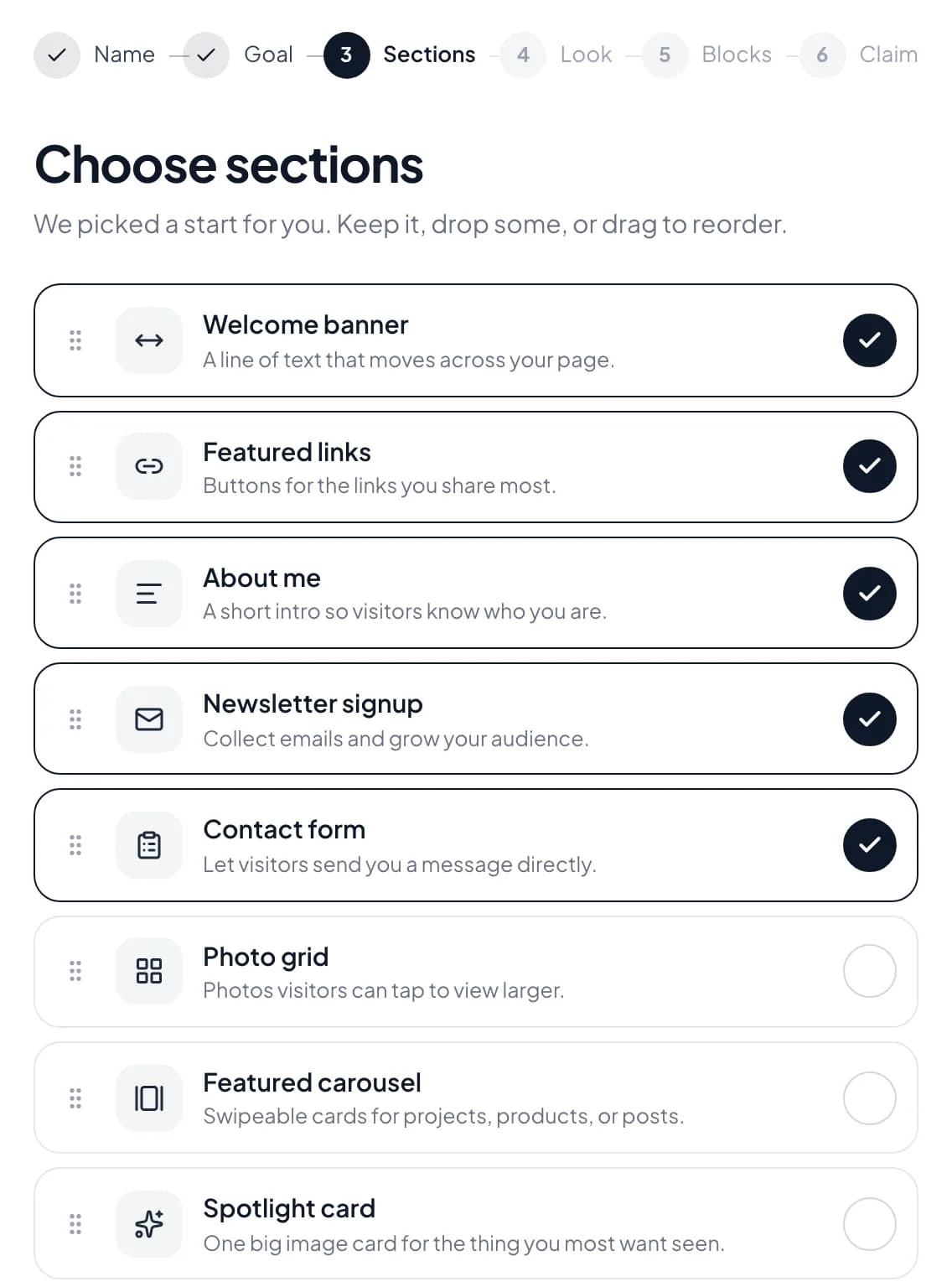
Step 2: Choose your sections
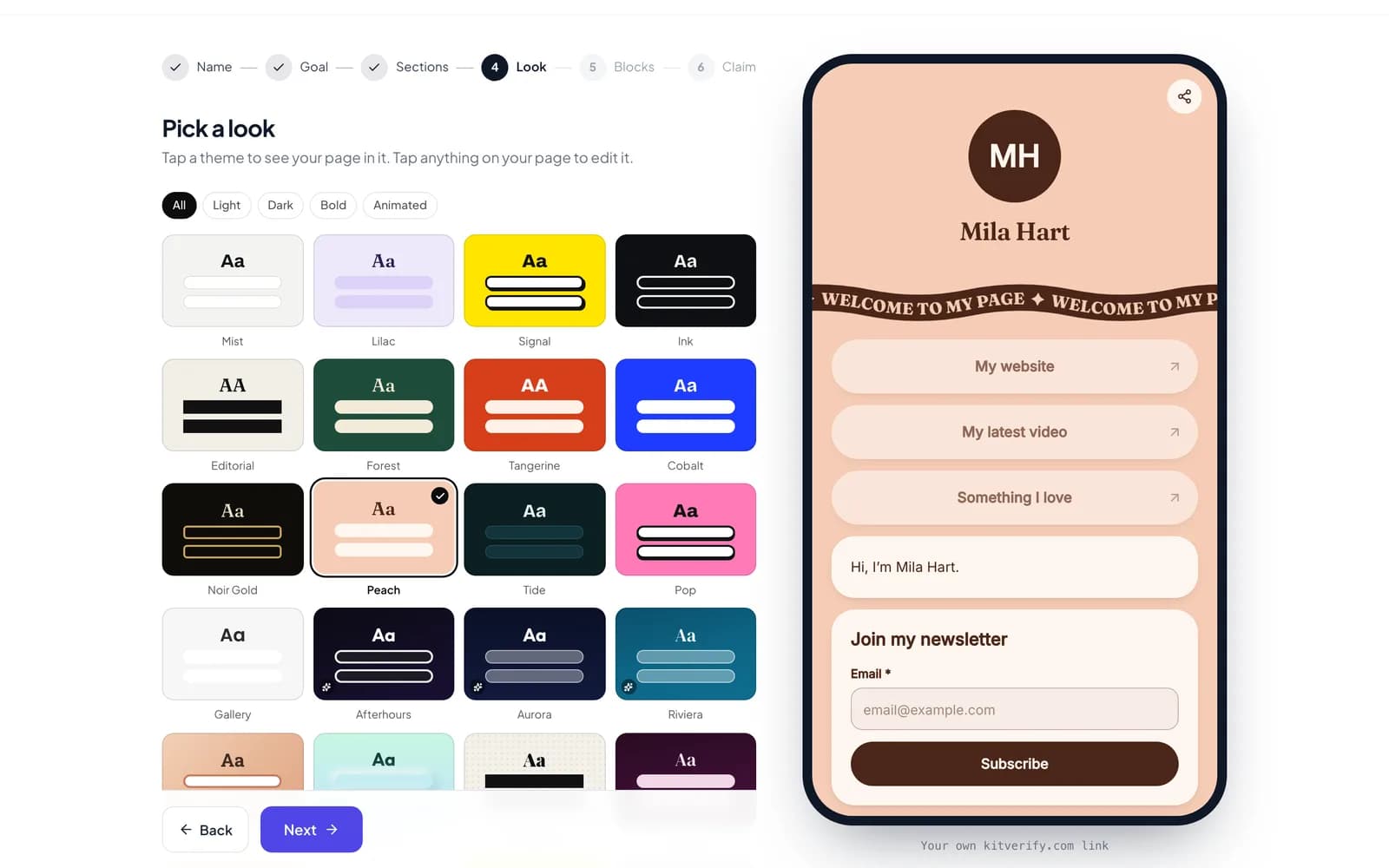
Step 3: Pick a theme
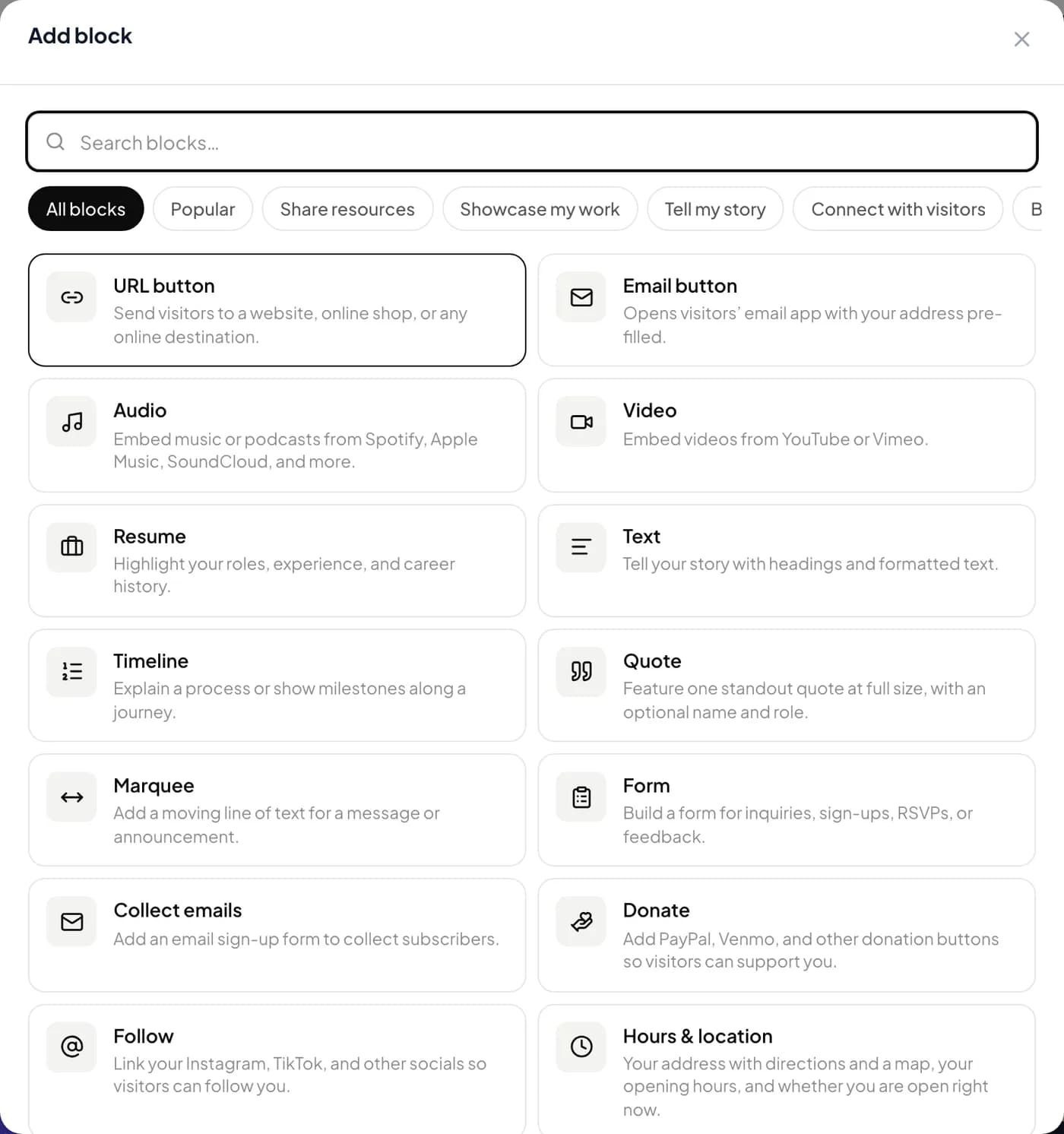
Step 4: Add blocks instead of pages
A block is one piece of the page: a button, a video, a form. One page holds up to 60.
| Website page | Block |
|---|---|
| About | Text |
| Contact | Form or Email button |
| Portfolio | Video and audio embeds |
| More pages | Tabs |
Step 5: Fill in and customize
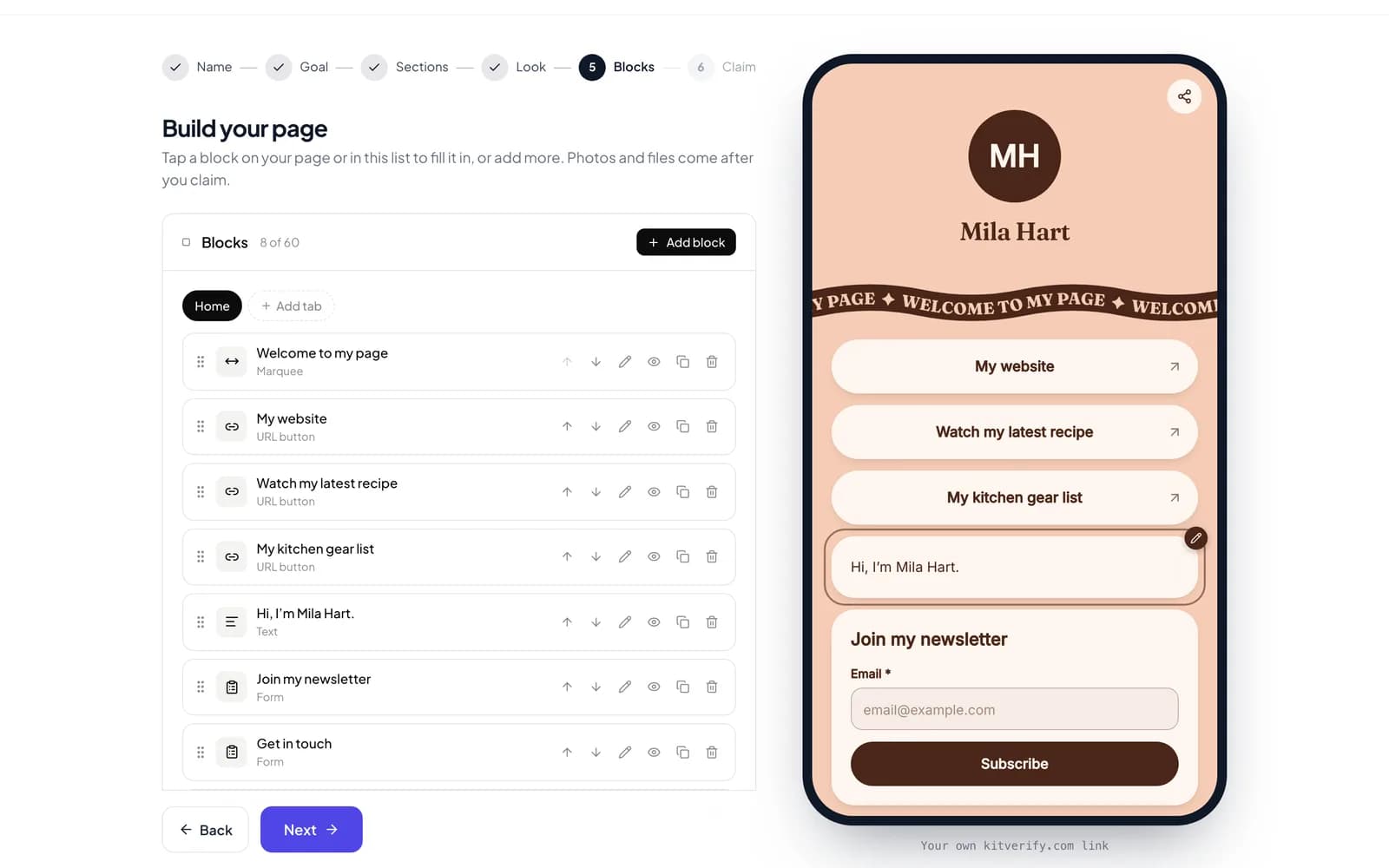
Step 6: Publish
Build it without an account. To publish, sign up for the Link in Bio plan (US$3.99/month, cancel anytime).
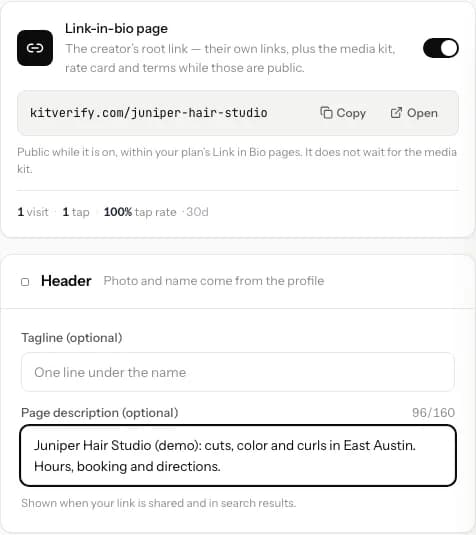
Add a page description (up to 160 characters). It shows when your link is shared, and Google sometimes uses it in search results.
Your About text, ready to copy
About me block
Replace the brackets.
Hi, I'm [name]. I make [what you make] for [who it is for].
New [videos / recipes] every [day].
Brands: use the form below or email [address].
Landing brand deals? See influencer portfolio website. Adding it to Instagram? See Instagram link in bio.
Related questions
How much does a no-code website cost?
It depends on the builder. A KitVerify page is US$3.99 a month to publish; building it needs no account.
Can I use my own domain?
Not on KitVerify. The page lives at kitverify.com/your-name.
Do I need an Instagram account?
No. Start with your name instead.
Can people contact me from the page?
Yes. Replies to a Form block wait in your Responses tab, where you can export them as a spreadsheet.
Sources
- Google Search Central, Control your snippets in search results, Google sometimes uses the meta description for the snippet · read 21 Nov 2026
KitVerify
Build your creator site from your username.
Choose sections, pick one of 36 themes, fill in your blocks. Build it before you sign up.
About the author
Dennis Tjahyadi · Founder, KitVerify
KitVerify is being built around the workflows of talent managers and creator agencies. This blog documents what we are learning about how those teams organize, maintain and pitch their talent — from product research, conversations with managers, and observing real workflows, not from having managed talent ourselves.
How KitVerify sources and labels every number it shows: methodology.
Related reading
- Link in BioHow to Create an Instagram Link in Bio That Looks ProfessionalInstagram gives you up to five links in the app. A link in bio page gives you one link that opens everything. Here is one built step by step, from theme to QR code.
- Media KitsInfluencer Portfolio Website: One Link With Your Kit, Rates and WorkA brand decides in one visit. Here is a filled portfolio for a demo creator: media kit, rate card and link in bio page, and where each number on it comes from.
- Link in BioAffiliate Marketing on Instagram and TikTok: The 7-Day Link in Bio TestFollowers but no income yet? Put your affiliate links on one page, post for a week, and let taps and sales show what your audience wants.